Frostrail demo: How to Play Free Before October 26
Play the Frostrail demo free on Steam October 19–26. Learn how to get access, check PC requirements, try four-player co-op, and survive.
Frostrail Demo Access: Dates, Platforms, and Cost
Your train is shelter, transportation, and a workshop—but keeping it running means venturing into the cold. The Frostrail demo lets you test that survival loop for free during its announced October 19–26, 2026 window, giving you a chance to try the game before Early Access. As of October 20, the Frostrail demo is available on Steam, with solo play and co-op for up to four players.
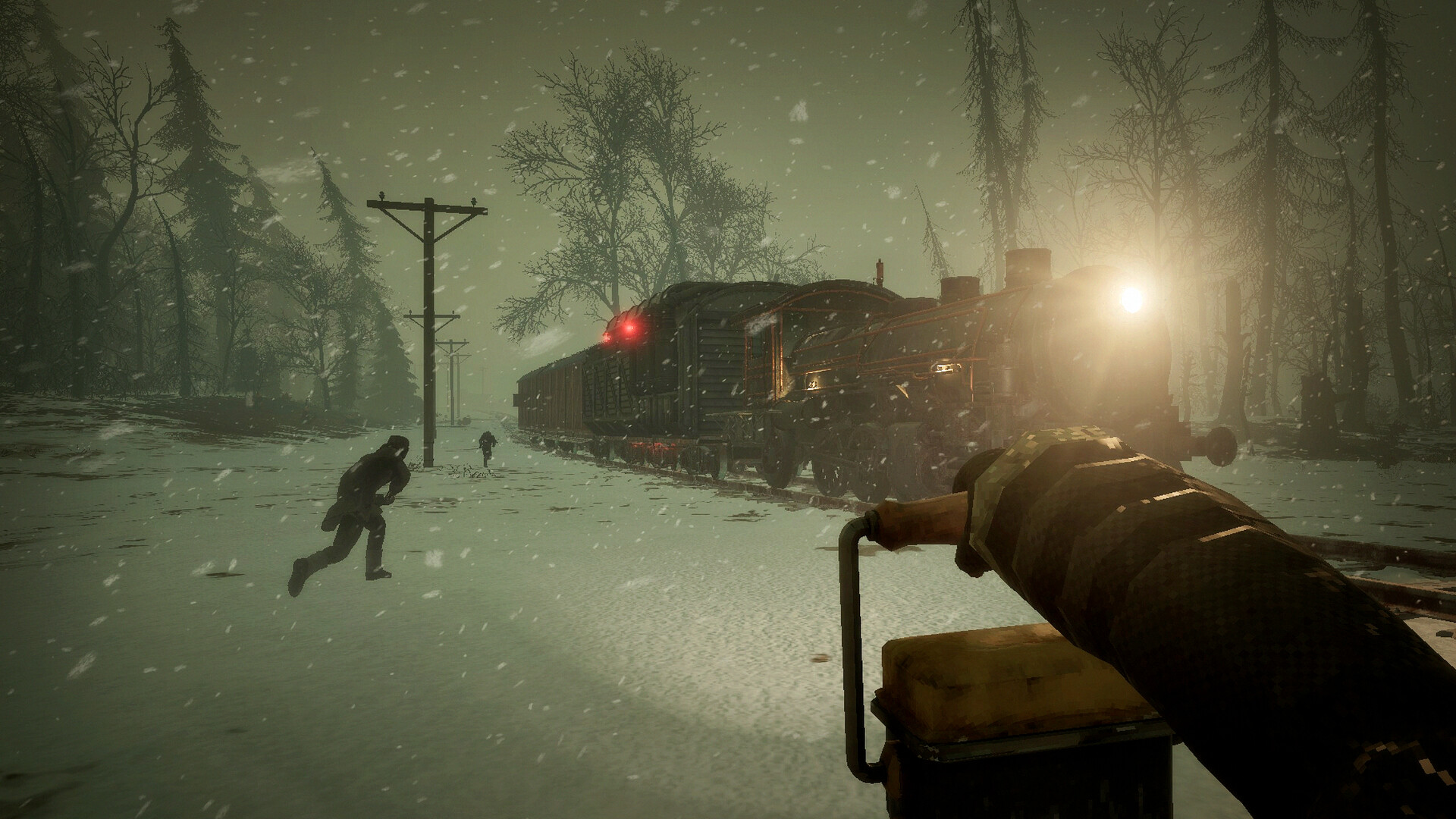
Official screenshot · Source: Steam store
Developed by FakeFish and published by Shiro Unlimited, Frostrail is a first-person survival game built around operating a steam-powered train through a frozen, corrupted world. You scavenge abandoned settlements, recycle supplies, craft equipment, and fight revenants while maintaining your moving refuge.
The immediate priority is access: this is an announced, limited demo period, not a promise of permanent availability.
| Access question | Confirmed information |
|---|---|
| Where can you play? | Steam on PC; listed system requirements specify Windows |
| Does the demo cost anything? | No, the official announcement describes it as free |
| When did it open? | October 19, 2026 |
| When does the announced window end? | October 26, 2026 |
| Can you play alone? | Yes |
| How many players does co-op support? | Up to four players total |
| Is this the Early Access release? | No; the store lists Early Access as planned for Q4 2026 |
The official announcement does not establish an exact cutoff time or guarantee that an installed copy will remain playable after October 26. Plan to try it before the final day rather than assuming a download preserves access.
How to Download and Start the Frostrail Demo
Start with the official Frostrail Steam store page. It is the authoritative destination for the game’s listing, download options, requirements, and release updates.
Use the demo option rather than confusing it with the full game’s wishlist button or information about the earlier closed beta.
| Step | What to do | Why it matters |
|---|---|---|
| 1 | Open Steam and sign in to your account | Keeps installation and library access in one place |
| 2 | Search for Frostrail or open its official store listing | Avoids unrelated downloads and unofficial installers |
| 3 | Find the demo download or installation option | The free demo is separate from the upcoming Early Access release |
| 4 | Follow Steam’s installation prompts | Lets you choose an installation location and check available space |
| 5 | Launch the demo and review its settings | Gives you a chance to adjust controls and graphics before starting |
| 6 | Choose solo play or arrange a co-op session | Supports either an individual run or a group of up to four |
Steam’s interface may present the demo button differently depending on the client or page layout. If you cannot find it, check the game’s latest Steam announcements and confirm that the announced access window is still active.
Do you need a closed-beta invitation?
The October announcement presents this as a free public demo. It is separate from the previous closed beta, which the developers said attracted more than 70,000 players.
You do not need to treat old beta-access instructions as the current route into the Frostrail demo. Follow the live Steam listing instead.
For co-op, get everyone installed before setting aside time to play. The supplied announcements confirm the player limit, but they do not detail every lobby, invitation, or matchmaking option. Follow the current in-game prompts rather than relying on an assumed hosting process.
What You Can Do in the Demo
The Frostrail demo introduces the relationship between scavenging and train maintenance. Leaving the locomotive brings opportunities to collect supplies, but exposure, inventory weight, and enemies can turn an ordinary supply run into a dangerous return journey.
Official announcements confirm abandoned-town exploration, resource gathering, crafting, train upkeep, and revenant encounters. A supplied gameplay video also shows the tutorial progressing through recycling, repairs, heating, weapon crafting, and underground exploration.
Those video details are player experience, not a guarantee that every campaign follows an identical sequence.
| Activity | What the available material shows | What it helps you evaluate |
|---|---|---|
| Train operation | Fueling the Eden Engine and managing locomotive controls | Whether hands-on train management appeals to you |
| Scavenging | Searching buildings and collecting usable resources | How exploration supports survival |
| Recycling | Processing recovered items at a sorting table | How everyday salvage becomes crafting material |
| Construction | Placing storage, workstations, walls, and heaters | How the train develops into a functional base |
| Combat | Melee weapons, an improvised firearm, and revenants | The pace and resource cost of fighting |
| Underground exploration | A boarded entrance and a dangerous shrine encounter in recorded play | The risks beyond surface scavenging |
What changed after the previous playtest?
The developers describe several improvements arriving with this demo:
- Better feedback when melee attacks connect.
- Revised stamina consumption.
- Additional blood effects and melee idle animations.
- Audio cues during dismantling and when processing finishes.
- An improved boarding ramp.
- Clearer visibility through train windows.
These are announced changes, not a promise that every usability issue has disappeared. They do, however, identify useful things to assess during your session: combat readability, stamina pressure, crafting feedback, and boarding convenience.
The Frostrail demo is also not the complete planned game. The store describes future ambitions for more biomes, locations, dungeons, equipment, and train progression. Judge the demo on what it currently offers, not on features that remain development plans.
Beginner Tips: Keep the Train Useful Before Exploring Farther
The strongest lesson from the recorded player experience is that basic preparation matters as much as weapon damage. The player repeatedly struggled with fuel shortages, excessive carrying weight, cold exposure, and worn crafting equipment.
A deliberate opening makes those systems easier to understand.
Keep wood for both fuel and construction
Logs and branches support more than one immediate need. Burning everything can move the train but leave you without material for the next workstation or tool.
Collect usable wood when you find it, then divide your supply between travel and crafting. In the recorded session, not every visible tree or woodpile was harvestable. Look for actual interaction prompts instead of assuming scenery is a resource.
Build storage before taking everything
Inventory weight interfered with movement and jumping in the supplied gameplay. That becomes especially troublesome when trying to board the train while cold.
A wooden chest gives you somewhere to put heavy salvage between trips. Return with a manageable load rather than carrying every household object through an entire settlement.
| Early priority | Practical action | Problem it helps prevent |
|---|---|---|
| Fuel reserve | Keep combustible supplies available before departing | Losing mobility or heat at an inconvenient stop |
| Crafting reserve | Set aside some logs and branches | Burning materials needed for progression |
| Storage | Unload heavy salvage frequently | Slow movement and difficult boarding |
| Repairs | Make a wrench and inspect equipment durability | Processing slowdowns and unusable devices |
| Heating | Repair and enclose the compartment, add heaters, and ignite fuel | Remaining cold despite being aboard |
| Exploration kit | Carry light, healing supplies, and suitable ammunition | Entering dark areas unprepared |
Repair the sorting table instead of immediately replacing it
In the recorded player experience, a sorting table initially appeared broken. Later, the player discovered that the makeshift wrench could repair equipment, and processing speed was affected by durability.
If recycling slows down or a station stops functioning, check its condition before spending scarce materials on another one. The wooden mallet handles building tasks; the wrench serves a different maintenance role.
Treat heating as a complete setup
A carriage is not necessarily warm just because it has walls. The tutorial shown in the video calls for an enclosed area, heaters, closed doors, and a burning Eden Engine.
If you remain cold:
- Inspect damaged walls and doors.
- Confirm the intended compartment is enclosed.
- Check that the required heaters are installed.
- Close the doors.
- Verify that fuel is actually ignited.
Adding fuel and igniting it are separate actions in the recorded gameplay. Forgetting the latter can make a seemingly prepared train fail to provide the expected heat.
Prepare before entering boarded underground areas
The video shows a makeshift crowbar being used to remove planks from an entrance. It also shows dangerous enemies and a shrine warning about consequences for the area.
Bring a torch, healing supplies, ammunition, and spare carrying capacity. Read event warnings before interacting, and avoid treating a dark passage as an easy escape route.
Community reports include confusion about boarded entrances and saving behavior. These reports do not establish universal bugs or confirmed mechanics. Follow tutorial objectives, check current instructions, and verify how saving works before committing to a long session.
PC Requirements and Compatibility Checks
Before downloading the Frostrail demo, compare your computer with the published Steam requirements. The table below reflects the game’s store listing, not separately verified demo-specific specifications.
| Component | Minimum listed requirement | Recommended listed requirement |
|---|---|---|
| Operating system | Windows 10, 64-bit | Windows 10, 64-bit |
| Processor | Intel i7-6700K or AMD Ryzen 5 5500 | Intel i5-11400T or AMD Ryzen 5 |
| Memory | 16 GB RAM | 32 GB RAM |
| Graphics | GeForce 3060 or Radeon RX 5600 XT | GeForce 4060 or Radeon RX 7600 |
| Storage | 25 GB available space | 25 GB available space |
The recommended AMD processor entry does not specify a model beyond “Ryzen 5.” Do not interpret it as a precise performance target.
Likewise, the listed 25 GB is a storage requirement, not a confirmed demo download size. Leave room for installation and potential updates rather than assuming the download will equal that figure.
Steam Deck compatibility is listed as Unknown. That does not confirm either reliable compatibility or incompatibility, so avoid treating handheld performance as guaranteed.
The supplied listing includes English, French, German, Spanish from Spain, and Brazilian Portuguese interface and subtitle support. It does not mark full audio support for those languages.
If your PC meets the requirements, use the free window to evaluate performance alongside gameplay. Test movement through settlements, combat, and visibility from the locomotive—not just the opening menu.
FAQ
Is the Frostrail demo free, and when does it end?
Yes. The official Steam announcement describes the Frostrail demo as free, with an announced availability window of October 19–26, 2026. The supplied material does not confirm an exact shutdown time or continued access afterward.
Can you play the demo solo or with friends?
Both are supported. You can play alone or in co-op with up to four players total. Check the current in-game menus for the available session and invitation options.
How long does the demo take to finish?
The supplied official announcements do not give a confirmed completion time. Exploration, crafting, combat, and learning train systems can change session length considerably. Treat individual player playtimes as examples, not a guaranteed duration.
Is the demo the same as the Early Access version?
No. The demo is a preview ahead of the planned Early Access launch, which the supplied store listing places in Q4 2026. The developers expect Early Access to last roughly a year, but that is an estimate dependent on feedback and development progress.
Related Guides
Frostrail download: Steam Demo and PC Access Guide
Find the official Frostrail download route, check Steam demo availability, compare PC requirements, and understand the Early Access release status.
Frostrail key: Steam Access, Demo, and Buying Guide
Looking for a Frostrail key? Check Steam access, demo availability, region restrictions, activation steps, and what to know before buying.
Frostrail price: Early Access Cost and Buying Guide
Is the Frostrail price confirmed? Learn what Steam lists, how Early Access pricing could change, and what to check before buying.
Frostrail block on track: How to Clear the Way
Clear a Frostrail block on track with a crowbar or damage. Learn the crafting recipe, tutorial sequence, and checks for a train that won't move.
Frostrail playtest dates: October Demo Schedule
Check Frostrail playtest dates, the October 19–26 Steam demo window, how to get access, PC requirements, and the Q4 2026 release plan.